
AutoClicker
Application: Common tools (pinned widget available for all applications)
Version:
10.4.68
Updated:
14 November 2025
Description
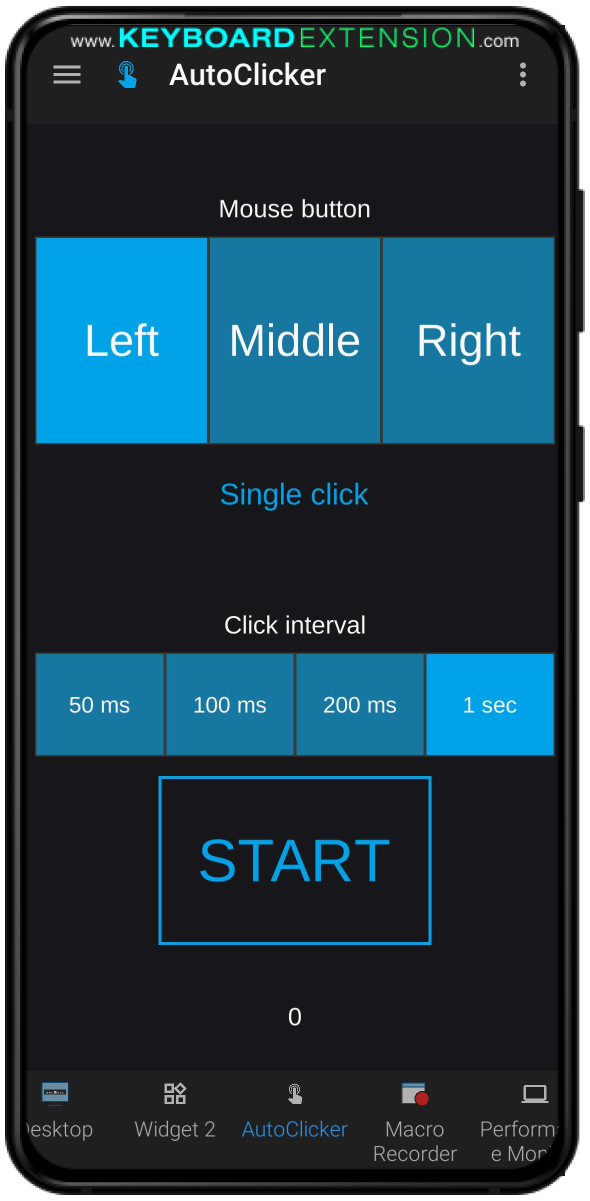
Automate mouse clicks
Controls
|
Control:
|
|
|
Control property:
|
Action.Tap
|
|
Control property description:
|
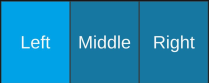
Choice of left, middle or right mouse button to be emulated. Acceptable range of values: {“l”, “m”, “r”}
|
|
Plugin name:
|
|
|
Plugin type:
|
Autohotkey v2
|
|
Parameter name:
|
|
|
Direction:
|
|
|
|
|
|
Control:
|

|
|
Control property:
|
Action.Tap
|
|
Control value:
|
["single","double"]
|
|
Control property description:
|
Choice of a single mouse click or doubleclick to be emulated. Acceptable range of values: {“single”, “double”}
|
|
Plugin name:
|
|
|
Plugin type:
|
Autohotkey v2
|
|
Parameter name:
|
|
|
Direction:
|
|
|
|
|
|
Control:
|

|
|
Control property:
|
State.Selected
|
|
Control value:
|
False
|
|
Control property description:
|
Current state of Auto clicker plugin
|
|
Plugin name:
|
|
|
Plugin type:
|
Autohotkey v2
|
|
Parameter name:
|
|
|
Direction:
|
|
|
|
|
|
Control:
|

|
|
Control property:
|
Text.Text
|
|
Control property description:
|
Counter of clicks
|
|
Plugin name:
|
|
|
Plugin type:
|
Autohotkey v2
|
|
Parameter name:
|
|
|
Direction:
|
|
|
|
|
|
Control:
|

|
|
Control property:
|
Action.Tap
|
|
Control value:
|
["0","1"]
|
|
Control property description:
|
Starts clicking or stops if currently running
|
|
Plugin name:
|
|
|
Plugin type:
|
Autohotkey v2
|
|
Parameter name:
|
|
|
Direction:
|
|
|
|
|
|
Control:
|

|
|
Control property:
|
Action.Tap
|
|
Control property description:
|
Delay between repeatable mouse clicks in milliseconds
|
|
Plugin name:
|
|
|
Plugin type:
|
Autohotkey v2
|
|
Parameter name:
|
|
|
Direction:
|
|
|
|
|
Any of our widgets can be altered to meet your needs. Please contact our
customer support
team.
General
Author:
Glisense ltd